









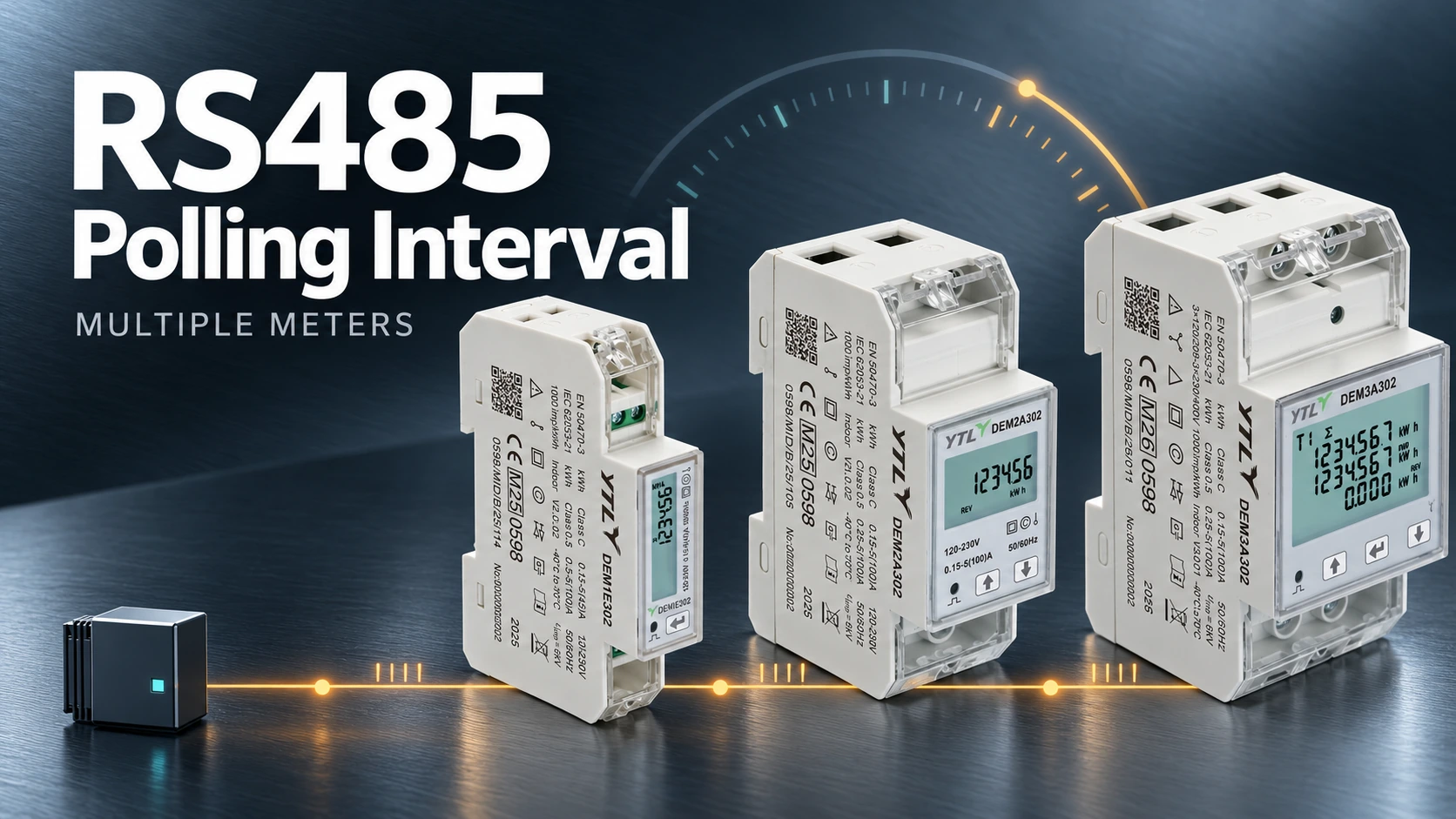
Set the RS485 polling interval from the time one complete polling round takes, scheduling each group of readings at the interval it needs and keeping the whole read workload inside that time. If the controller waits after each scan rather than starting scans on a timer, subtract the scan time before you set the wait, then measure the real time between successful updates with every meter connected. A datasheet may give a meter-side refresh or response time, but not how long the controller needs to read twelve meters on one pair of wires, since a Modbus RTU controller sends its requests one at a time.
Know What Your Controller’s Interval Actually Means
Find out whether the controller starts scans on a schedule or waits a set time after each scan finishes. The same number in the same field gives quite different update times under those two methods, and the field label may not tell you which one you have. These six timing terms are easy to mix up, so pin them down before anyone does the arithmetic:
| Term | What it means |
|---|---|
| Configured polling interval | The scheduling setting, as the controller’s manual defines it |
| Actual update interval | Time between two successful reads of the same point |
| Polling round | Time to work through every request in a group |
| Inter-request delay | A configured pause between transactions |
| Response timeout | How long the controller waits before giving up on a reply |
| Logging interval | How often the receiving system stores a reading |
Write down two requirements for each reading: how often the system needs a successful read, and how old the underlying measurement is allowed to be. Polling, the meter’s own measurement updates and the dashboard refresh run separately, and reading a register more often does not make the meter calculate a new value any sooner.
Work Out the Time for One Complete Polling Round
Every request takes its slice of the bus, and one meter can need several, so budget for the whole read list:
- request and reply lengths at the configured baud rate and framing
- the meter’s response time for the register blocks you actually read
- controller overhead and configured waits, counted once, since a measured transaction time may already include them
- timeouts and retries, budgeted separately for failed transactions
What One Request Costs on the Wire
In RTU mode the Modbus serial-line specification frames each byte as 11 bits and separates frames with a silent interval of at least 3.5 character times, with a fixed 1.75 ms recommended above 19.2 kbit/s. A request for 20 holding registers is 8 bytes and the reply is 45, and the meter’s turnaround time, measured with the real register blocks, comes on top of the wire time below. Counted from the start of the request until the next one may begin, with a silent interval after each frame, the wire alone takes:
- At 9.6 kbit/s: 53 × 11 bits = 583 bits ≈ 61 ms, plus two silent intervals ≈ 8 ms → about 69 ms
- At 115.2 kbit/s: 583 bits ≈ 5 ms, plus two silent intervals of 1.75 ms → about 9 ms
An Illustrative Polling Budget
Take a made-up group of 12 meters, two requests per meter, and assume each successful transaction takes 100 ms, counted the same way as above and including meter processing. The wire time makes that plausible at 9.6 kbit/s, but it is an assumption, so swap in timings measured on the project’s own meters and read blocks, counted the same way, before you rely on the result:
12 meters × 2 requests × 100 ms = 2,400 ms

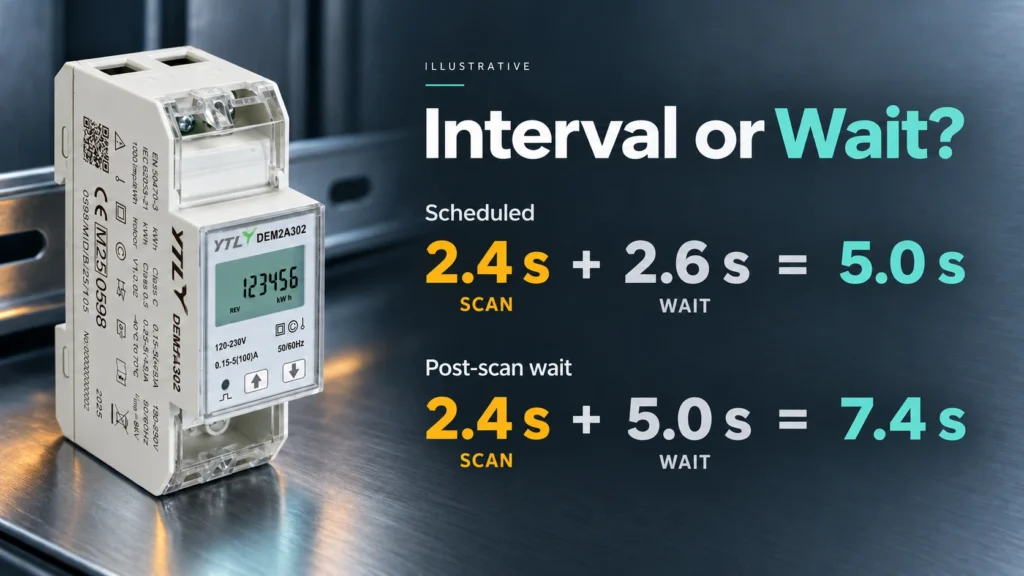
The successful reads alone take 2.4 seconds, so a one-second target is out of reach however the controller is set. A five-second target leaves 2.6 seconds for controller overhead, any post-scan wait and an allowance for failed transactions, and how you enter it depends on the controller:
- If it schedules scan starts, set the group period to five seconds.
- If it waits after each scan, set the wait to 2.6 seconds minus the measured overhead and failure allowance; five seconds there would start scans at least 7.4 seconds apart.
Build the Schedule Around the Readings You Need
Give each reading an update requirement based on what uses it, keeping the fast schedule for readings whose delay changes a display, a calculation or an operating decision. Move the rest into slower groups where the controller supports them, remembering that every group still shares the same bus. Export limitation is the clearest case for the fast group, since the controller acts on the reading and the polling delay sits inside its control loop, as the guide to zero-export solar PV metering explains.

Remove Requests You Do Not Need
Take unused measurements off the fast schedule and look for the same register being requested by two different dashboard points. Then group values that sit next to each other in the map, since functions 03 and 04 read contiguous registers in one request, as the Modbus application protocol specification defines. The meter’s own map decides which addresses and block lengths it accepts, so combine reads only across a supported range, keep every multi-register value whole, and don’t stretch a block across undocumented gaps just to make it bigger. A request that returns an exception gives the controller nothing usable for any register in it.
Set Timeouts and Retries Separately
Set the serial response timeout long enough for the meter to process the request and send its complete reply under real conditions. The serial-line specification leaves the exact value to the application, and a timeout shorter than a valid reply makes the controller declare a failure that never happened. Through a gateway, give the controller’s upstream timeout enough room for queueing and the gateway’s own downstream wait and retries, or the controller will abandon requests the gateway is still working on.
An offline meter is the expensive case: count the first attempt and every retry, check when retries happen in the round, and use the controller’s retry or offline-device settings to stop one dead meter delaying the rest. If errors persist, look for duplicate addresses, mismatched serial settings and wiring faults, because lengthening the polling interval only makes those faults show up less often.
Change the Network When the Workload Will Not Fit
If the trimmed request list still overruns the cycle, raise the baud rate to one that every device on the segment supports and the cabling can carry, then repeat the timing test with the full read list. When one segment still cannot meet the requirement, split the meters across independent serial ports or gateways. Before you assign a gateway to a segment, confirm its RS485 device count, its upstream protocols and how it queues requests from several clients, because several Ethernet connections into one gateway need not mean several independent polling paths.
Prove the Interval With Every Meter Connected
Test with the full meter count and the production read list, comparing successful-read timestamps with each requirement and checking the oldest reading in every group, especially when a slow group falls due alongside the fast one.
- Decode the required values from one meter, using its exact register map.
- Add every planned meter with its intended address and serial settings.
- Enable every read group and time successful updates for each required point.
- Take one meter offline, as agreed for the test, and watch the timeouts, retries and delays to the others.
- Reconnect it and confirm that fresh readings resume and missing data shows as missing, not as a measured zero.
- Save the model, firmware, register-map revision, request groups, serial settings and measured timings, and redo the sums whenever meters or readings are added.

Planning an RS485 Bus Around YTL Meters
Our four standard DIN-rail energy meters offer the same serial options, so a mixed bus of all four can run at one common baud rate and parity. They differ only in the circuit they suit: DEM1E302 and DEM2A302 for single-phase circuits up to 45 A and 100 A, DEM3A302 for three-phase circuits up to 100 A, and DEM3K302 for three-phase circuits through current transformers.
| What the polling plan needs | DEM1E302, DEM2A302, DEM3A302 and DEM3K302 |
|---|---|
| Protocol | Modbus RTU over RS485 |
| Baud rate | 9.6, 19.2, 38.4, 57.6 or 115.2 kbit/s |
| Parity | None, odd or even |
| Modbus address | 1 to 247 |
| Meter-side timing | ≤75 ms RS485 communication refresh time, covering the meter’s side only |
| Register map | Not published; request it for the exact model and firmware |
The controller’s update interval still depends on the register list, bus settings, response handling, retries and gateway queueing, so the budget above applies in full. If the plan needs more than one segment, our A119019 RS485 converter connects up to 32 RS485 devices to Ethernet or Wi-Fi, one converter per segment. Its product page lists TCP pass-through, Modbus TCP, MQTT and a REST API on the network side, so give it the same checks as any gateway, especially how it queues requests from more than one upstream client.
For a sample or a batch, send us the polling plan (circuits, meter count and expected expansion, readings and update interval, controller or gateway model) and ask for the register map in the same message.
FAQs
Can Different Meter Models Share One Polling Schedule?
Yes, when their protocol and serial settings suit the same segment, which a matching RS485 connector alone does not show. Configure each model’s register map and response timing separately, give every device a unique address, and size the shared schedule for the complete workload.
Will a Longer Polling Interval Lose kWh?
Not from a cumulative counter: the next successful read picks up everything added since the last one, as long as the counter has not been reset or rolled over in between. What a longer interval loses is detail, because you can’t see how the energy was spread within the gap, and instantaneous values such as power can peak and fall between two reads without the system ever seeing them.
Can a Second System Poll the Same RS485 Meters?
Not directly. A Modbus RTU segment has room for one active master, according to the serial-line specification, so when a building management system and another application both want the readings, one of them collects the data and shares it upstream. Agree any commissioning tool’s access with that installed master before you connect it.
Sources
- MODBUS over Serial Line Specification and Implementation Guide V1.02, Modbus Organization: the 11-bit character framing, address and CRC fields, silent intervals, response timeout, unique addresses and single-master rule used above.
- MODBUS Application Protocol Specification V1.1b3, Modbus Organization: the request and reply formats of functions 03 and 04, which read a contiguous block of registers, and exception responses.
